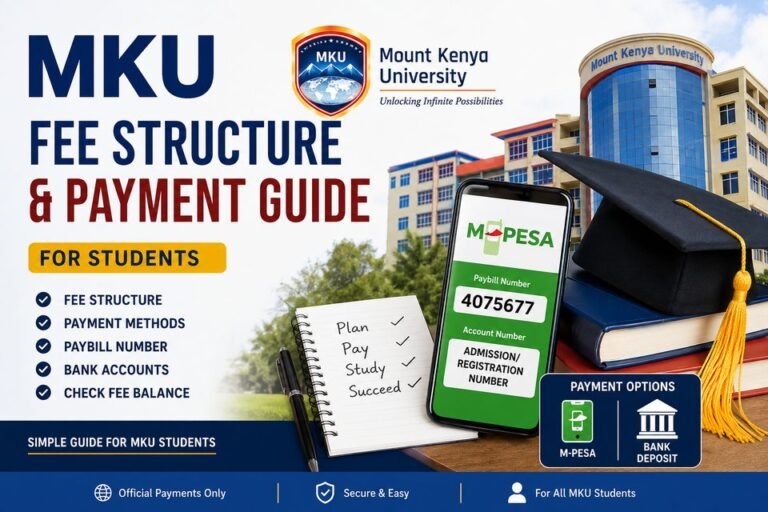

MKU Admission Letter Download (KUCCPS & Self-Sponsored) Students
An MKU admission letter is a very important document for new students. It shows that Mount Kenya University has accepted you to study. The letter may show your name, course, admission number, campus, and fee payment details. You need this letter before registration and reporting to school.
For KUCCPS Students
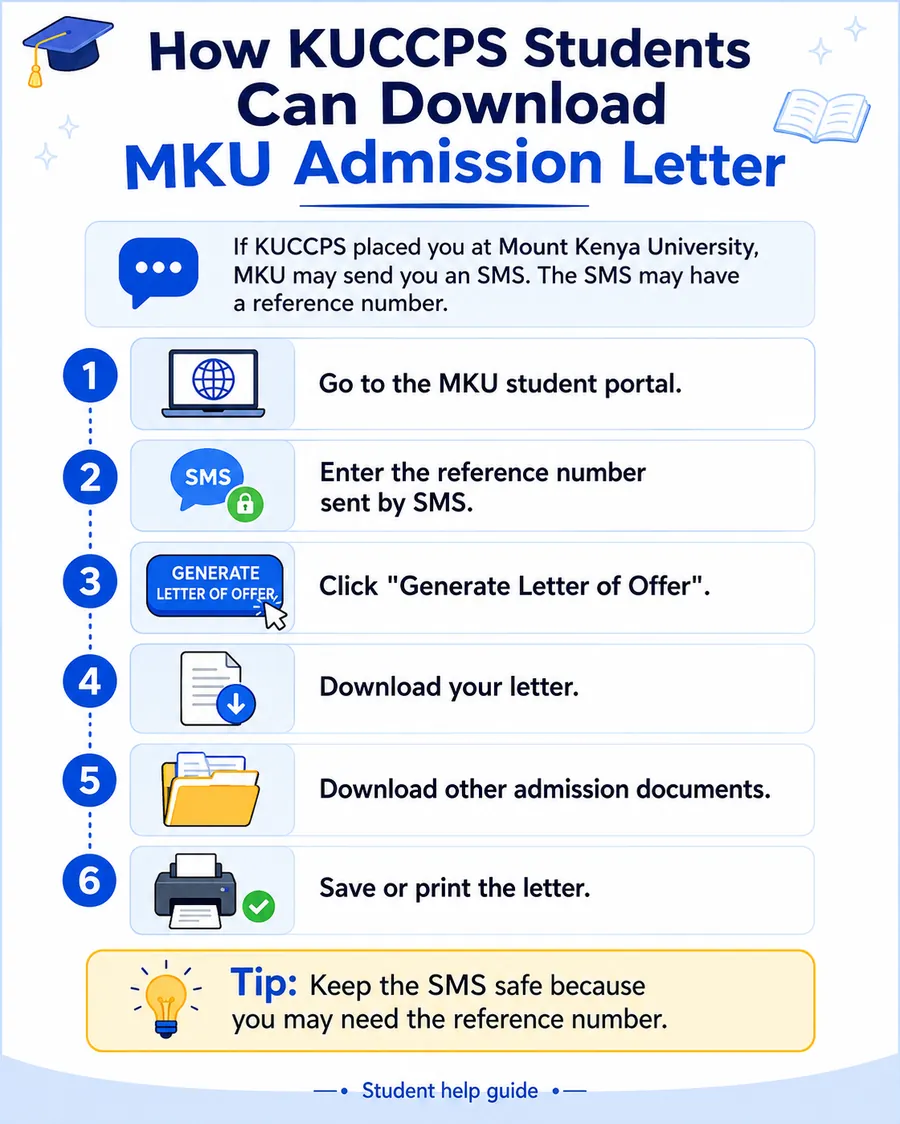
If KUCCPS placed you at Mount Kenya University, MKU may send you an SMS.
The SMS may have a reference number.
Follow these steps:
- Go to the MKU student portal.
- Enter the reference number sent by SMS.
- Click Generate Letter of Offer.
- Download your letter.
- Download other admission documents.
- Save or print the letter.
Keep the SMS safe because you may need the reference number.
For Self-Sponsored Students
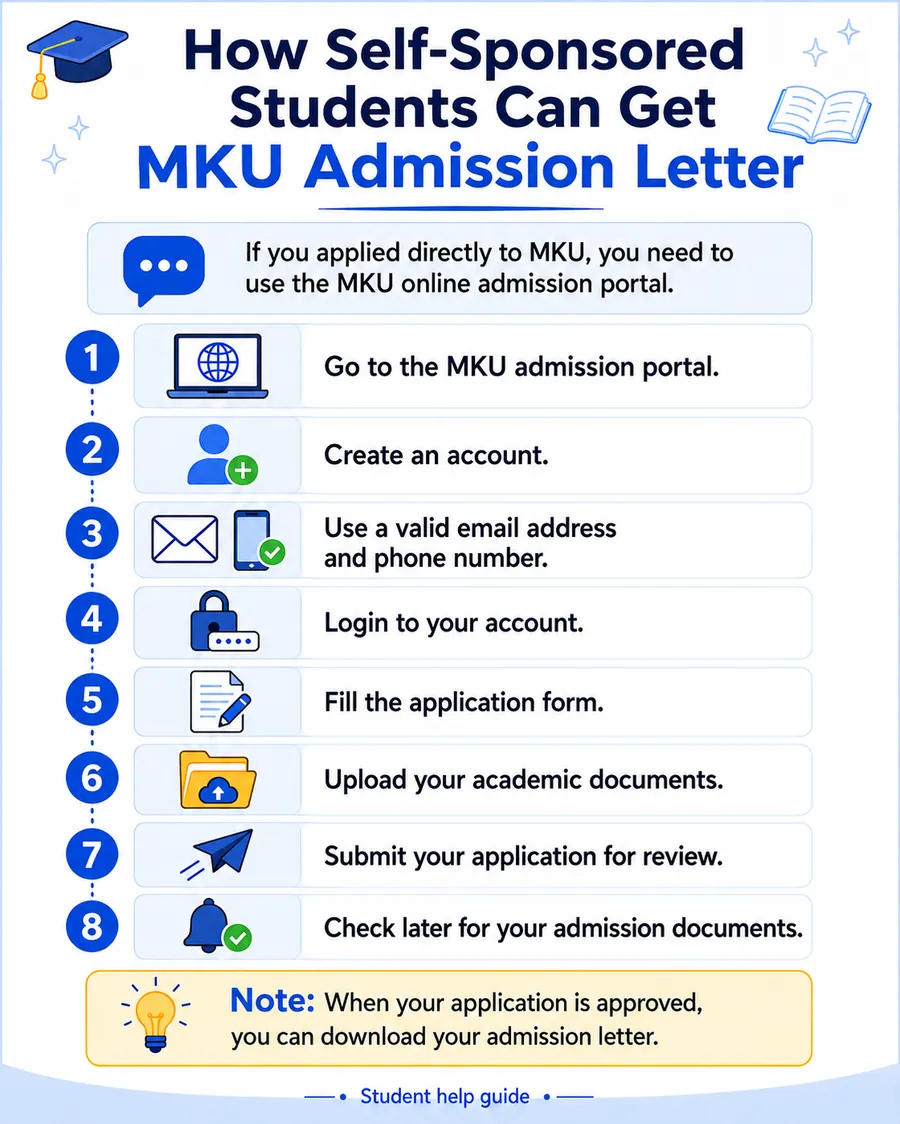
If you applied directly to MKU, you need to use the MKU online admission portal.
Follow these steps:
- Go to the MKU admission portal.
- Create an account.
- Use a valid email address and phone number.
- Login to your account.
- Fill the application form.
- Upload your academic documents.
- Submit your application for review.
- Check later for your admission documents.
When your application is approved, you can download your admission letter.
Details You May Need
Before you start, keep these details ready:
- Reference number
- Application number
- Admission number
- National ID number
- Passport number
- Email address
- Phone number
- Password
Use the same details you used when applying.
What to Check in Your MKU Admission Letter
After downloading your letter, check everything carefully.
Check:
- Your full name
- Course name
- Admission number
- Campus
- Study mode
- Reporting date
- Fee payment details
If something is wrong, contact MKU before paying fees.
What to Do After Downloading the Letter
After downloading your MKU admission letter:
- Print the letter of offer.
- Read all instructions.
- Prepare your original academic certificates.
- Prepare your national ID or birth certificate.
- Prepare passport-size photos.
- Pay fees using the details given by MKU.
- Keep your payment proof safe.
Do not delete the letter from your phone or computer.
Can MKU Fees Be Paid in Installments?
Yes, MKU allows students to pay fees in installments.
The installment plan is:
- 30% during registration
- 30% second installment
- 20% third installment
- 20% fourth installment
This can help students and parents plan fee payment better.
What If Your Admission Letter Is Not Downloading?
If your MKU admission letter is not downloading, try these steps:
- Check your internet
- Check your reference number
- Use another browser
- Check your email inbox
- Check spam or junk folder
- Try again later
- Contact MKU support
Sometimes the portal may be slow, so do not panic.
MKU Support Contact
If you have a problem with admission or login, you can contact MKU support.
Email: customercare@mku.ac.ke
Phone: +254 709 153 200
Contact them if your letter is not opening, your details are wrong, or you cannot login.
Helpful Student Guides
You may also need these guides:
- MKU Student Portal
- MKU Fee Structure and Payment Guide
- Course Registration Steps
- MKU LMS Login
FAQs
What is MKU admission letter?
It is a letter that shows you have been accepted to study at Mount Kenya University.
How can KUCCPS students download MKU admission letter?
KUCCPS students can use the reference number sent by SMS, enter it in the MKU student portal, and generate the letter of offer.
How can self-sponsored students get MKU admission letter?
Self-sponsored students can apply through the MKU admission portal. After approval, they can download their admission letter.
Can I check my email for the admission letter?
Yes. Sometimes MKU may send admission documents to your registered email. Also check your spam folder.
Can I pay MKU fees in installments?
Yes. MKU allows fee payment in installments: 30%, 30%, 20%, and 20%.
What should I do if my letter has wrong details?
Contact MKU support before paying fees or reporting to campus.
Final Words
Your MKU admission letter is very important. Download it, print it, and check your details carefully.
KUCCPS students should use the reference number sent by SMS. Self-sponsored students should use the MKU admission portal.
Always confirm important details from official MKU channels before paying fees or reporting.
Disclaimer
This website is only a student help guide. It is not the official Mount Kenya University website. Always confirm admission details from MKU.