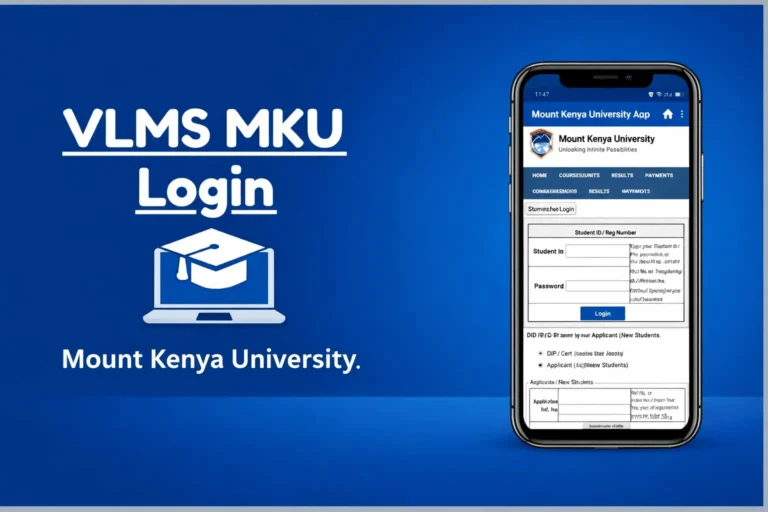
How to Apply for Academic Leave Through MKU Student Portal
Mount Kenya University (MKU) allows students to apply for academic leave online through the MKU Student Portal, making the process faster, more convenient, and accessible from anywhere. Whether you need a break due to medical reasons, financial challenges, personal matters, or academic restructuring, MKU provides a structured procedure to ensure your academic record remains safe and your enrollment status preserved.
This step-by-step guide explains how to apply for academic leave, required documents, timelines, and what happens after your request is submitted.
What Is Academic Leave at MKU?
Academic leave—also known as a deferment—is an official break from studies granted to students who are unable to continue their coursework temporarily. Students can request this leave for one or more semesters, depending on MKU’s policies and the nature of the request.
Common reasons include:
- Medical issues
- Financial difficulties
- Family emergencies
- Employment or relocation
- Personal or psychological challenges
- Pregnancy or maternity-related reasons
Academic leave ensures you retain your admission, avoid academic penalties, and resume your studies smoothly when ready.
Requirements Before Applying for Academic Leave
Before submitting your request, ensure you have:
- Active MKU Student Portal account
- Student ID / Admission number
- Supporting documents (if required) such as:
- Medical report
- Official letter explaining your reason
- Employer/emergency documentation
Some leaves may require approval from your Head of Department (HoD).
How to Apply for Academic Leave Through MKU Student Portal
Follow these steps to submit your academic leave request:
Step 1: Visit the MKU Student Portal
Go to:
👉 https://studentportal.mku.ac.ke
Enter your:
- Registration Number
- Password
Then click Log In.
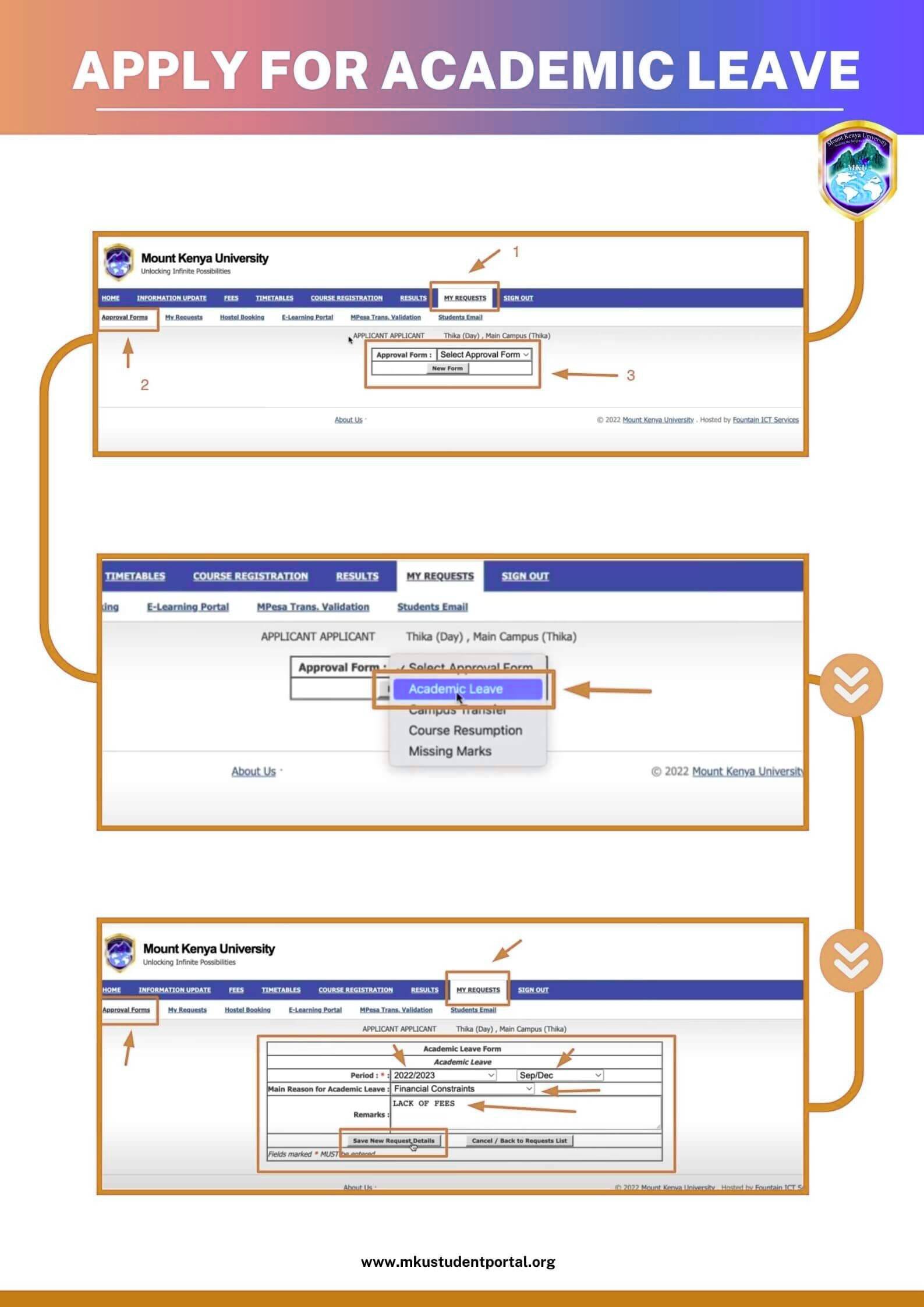
Step 2: Go to “Academics” or “Requests” Section
Once logged in:
- Look for the menu on the left side
- Click Academic Services, Academics, or Student Requests
(The name may vary depending on the semester portal updates.)
Step 3: Select “Apply for Academic Leave / Deferment”
Under the academic services section:
- Click Academic Leave Application
- Or Deferment Request
A form will open on your screen.
Step 4: Fill Out the Leave Application Form
Enter all required details, including:
- Your name
- Registration number
- School/Department
- Programme and year of study
- Reason for applying for academic leave
- Semester/trimester requesting leave
- Duration of the deferment
- Supporting documents (upload if needed)
Ensure the information is accurate.
Step 5: Upload Required Documents
Attach the necessary files such as:
- Medical certificate
- Official letter explaining your situation
- Any supporting evidence
Allowed file formats: PDF, JPG, PNG.
Step 6: Submit Your Application
Click the Submit or Apply button.
Your request will now be sent to:
- School Administrator
- Head of Department
- Registrar Academic Affairs
depending on the required approval workflow.
Step 7: Track the Status of Your Application
You can monitor the progress of your academic leave request through the portal:
- Go to Requests / My Applications / Academic Services
- Check if your application is:
✔ Pending
✔ Approved
✔ Declined
✔ Returned for changes
Once approved, you will also receive a confirmation notification.
What Happens After Academic Leave Is Approved
When your leave request is approved:
- Your academic status becomes “Deferred”
- You are exempted from classes and exams for that semester
- No academic penalties apply
- You can rejoin the next semester by clearing any pending procedures
Most students resume studies by simply logging back into the portal and registering for the next semester.
Important MKU Academic Leave Policies to Note
- Academic leave is usually granted for 1 semester at a time
- Excessive deferment may require additional approval
- You must apply before mid-semester for timely processing
- Supporting documents are mandatory for medical or emergency cases
- International students may require additional verification
Common Issues & Troubleshooting
1. Can’t Access Portal?
Reset your password via “Forgot Password” option.
2. Error Uploading Documents?
Compress files under 2MB and re-upload.
3. Application Not Submitted?
Ensure all fields are filled and your internet is stable.
4. No Update After a Week?
Visit your department or call MKU Office of the Registrar.
Final Thoughts
Applying for academic leave through the MKU Student Portal is fast, efficient, and student-friendly. Whether you are facing personal challenges or unexpected life events, MKU’s online deferment system ensures you can pause your studies without losing your place at the university.