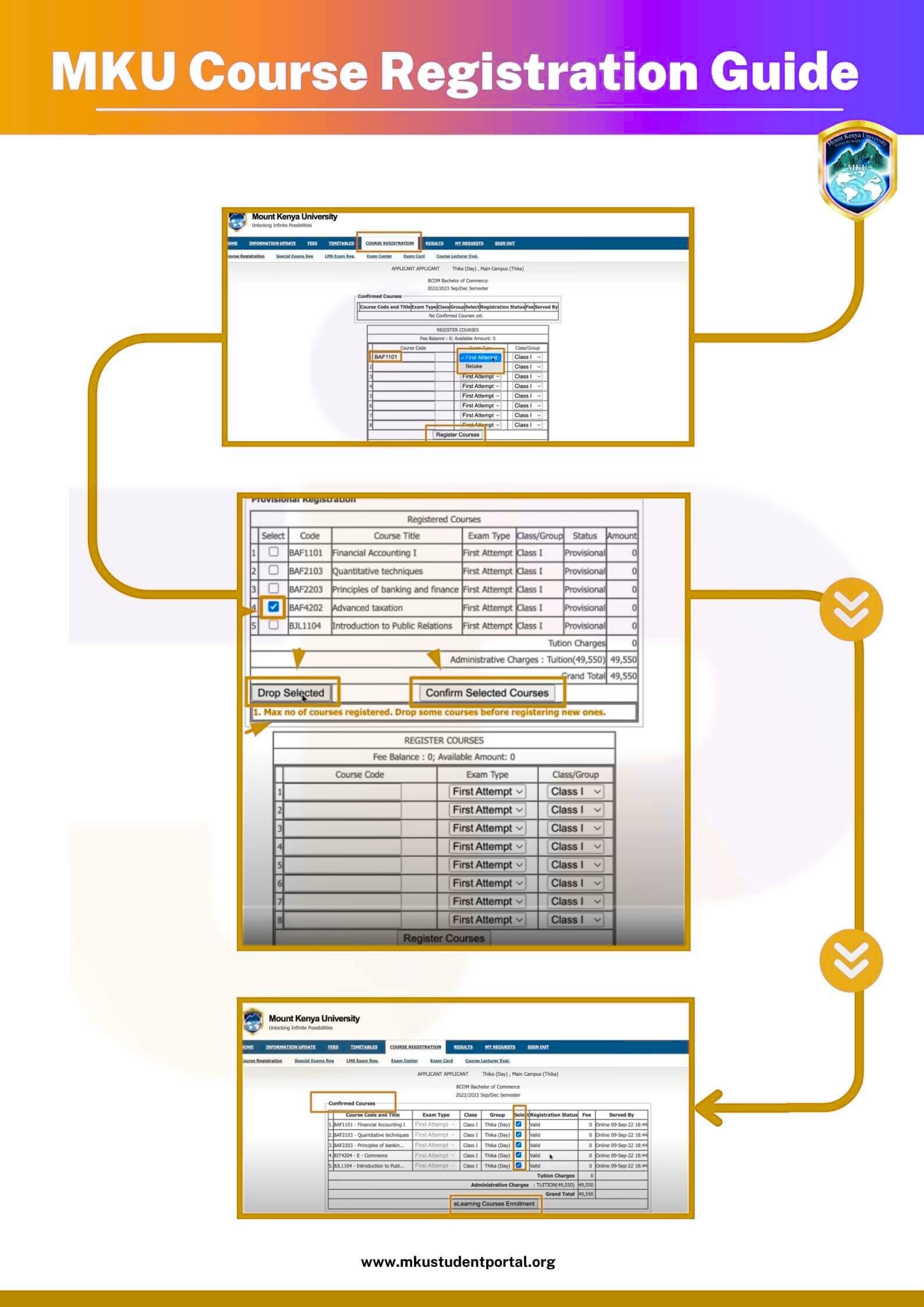
MKU Student Portal Course Registration (Steps)
Registering your units at Mount Kenya University is fast and easy through the MKU Student Portal. Follow the steps below to complete your course registration online:
1. Log in to the MKU Student Portal
Use your student registration number and password to access your dashboard.
2. Go to the “Course Registration” Section
Once logged in, find the “Academics” or “Course Registration” tab on the menu.
3. Select Your Academic Year and Semester
Choose the correct year and semester for the units you want to register.
4. View Available Units
A list of all available units for your program will appear. Review them carefully.
5. Select the Units You Want to Register
Tick the checkbox next to each unit you wish to register for the semester.
6. Confirm Your Course Registration
Click “Submit” or “Register Units” to save your selections.
7. Download or Print Your Registration Slip
After successful registration, a confirmation slip will be available.
Download or print it as proof of registration.